
What does an SEO audit cover?
An SEO audit is a full health check of a website, not a single report. It looks at everything that affects whether a page can be found, crawled, indexed and ranked, then everything that affects whether it deserves to rank once it is. That splits into a few layers:
- Crawlability and indexability. Can search engines reach the page at all, and are you telling them to index it?
- Technical SEO. Status codes, redirects, canonicals, sitemaps, robots.txt and site structure.
- On-page SEO. Titles, meta descriptions, headings and the content itself.
- Performance. Page speed and Core Web Vitals, which affect both rankings and real users.
- Links. Broken links, redirect chains and how internal link equity flows around the site.
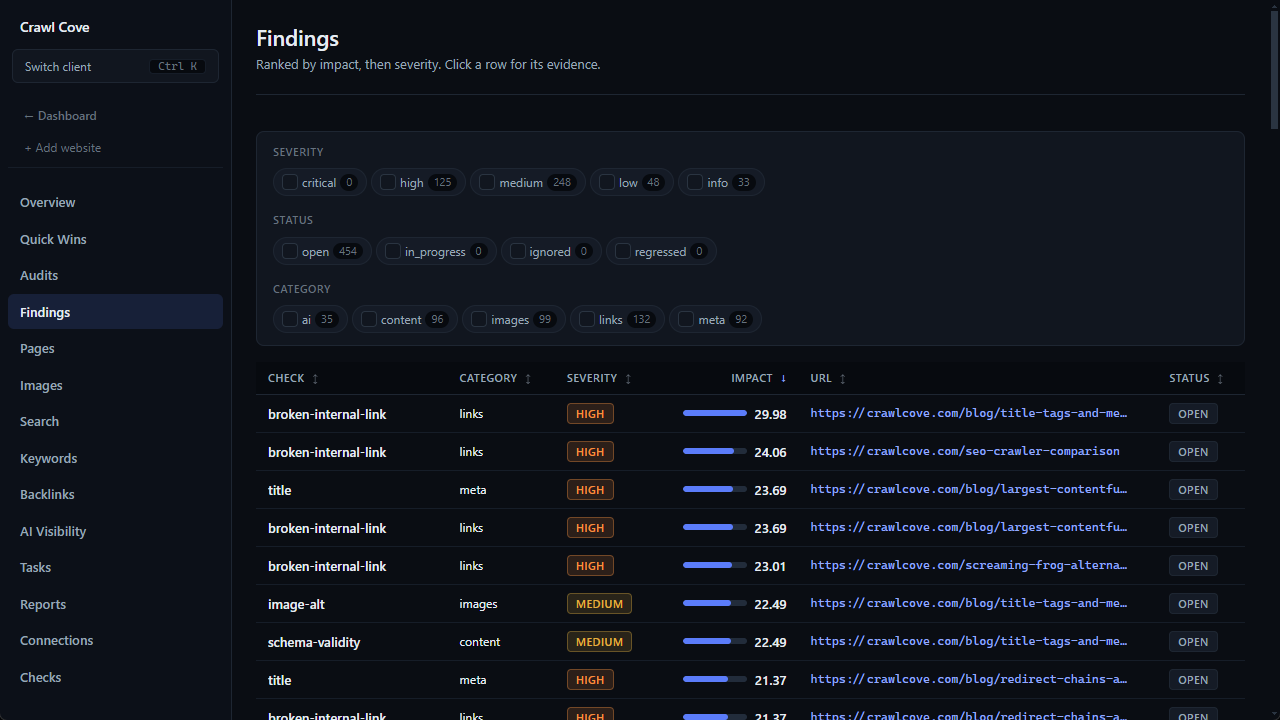
A good audit doesn't just list problems. It tells you which page each issue lives on and roughly how much fixing it will move the needle, so you're not guessing where to start.
Why a one-off SEO audit isn't enough
Sites drift. A developer renames a URL and forgets the redirect. A CMS update strips alt text from a batch of images. A migration quietly adds a noindex tag to pages that should be public. None of this shows up unless something re-crawls the site and compares what it finds against what should be there.
Running an audit regularly, not just when rankings drop, catches these regressions while they're small. It also gives you a baseline: without a "before" snapshot, it's hard to prove a technical fix actually did anything. That's the case for versioned audits that keep a history, rather than a single report that's stale the moment the site changes again.
How to run an SEO audit, step by step
A thorough SEO audit follows roughly the same sequence every time:
- Crawl the whole site. A crawler follows every internal link the way a search engine would, recording the status code, headers and content of every URL it finds. Sampling the first few hundred pages misses exactly the issues buried in old sections of a large site, which is why a crawl with no URL cap matters for anything beyond a small brochure site.
- Reconcile with real search data. A crawl alone only shows what your site looks like from the inside. Pulling in Google Search Console data shows what's actually indexed, which pages get impressions and clicks, and which URLs Google has flagged with errors, sometimes surfacing pages your own crawl never reached. Bing Webmaster Tools adds the sites Bing sees linking to you.
- Layer in Core Web Vitals. Field and lab performance data shows which pages are slow for real visitors, not just which ones look fine in isolation.
- Prioritise by impact. A site-wide
noindextag on a key template matters more than one page with a missing meta description. A good audit ranks issues so the highest-impact fixes come first, instead of leaving you to work through a flat list top to bottom.
Crawl Cove is built around this exact sequence: it crawls your whole site locally, reconciles the results with Search Console, Bing and Core Web Vitals data, and turns the combined picture into a prioritised, plain-English to-do list. There is no URL cap on any plan, but Max pages ships at 500, so raise it on the new-crawl form for anything bigger than a brochure site. A crawl that stops at its cap is reported as partial coverage rather than as a clean bill of health.
Tip
Before you fix anything, sort your issue list by the pages that already get organic traffic or backlinks. A canonical tag error on your highest-traffic landing page is worth fixing before the same error on a page nobody visits. Impact and traffic together beat a flat severity score.
Technical, on-page and performance issues
It helps to think of an audit's findings in three layers, because they get fixed by different people and in a different order.
Technical issues stop pages from being crawled or indexed correctly in the first place: broken links and redirect chains, incorrect canonicals, pages blocked by robots.txt, missing or bloated sitemaps, and duplicate content. This is the technical SEO audit layer, and it comes first: there's little point polishing a page's copy if search engines can't reach it.
On-page issues affect how a page is understood and displayed once it is indexed: missing or duplicate title tags, meta descriptions that get truncated or ignored, heading structure that doesn't reflect the content, and thin or duplicate copy.
Performance issues affect Core Web Vitals and the experience real visitors get: oversized images, render-blocking scripts, and slow server response times that drag down Largest Contentful Paint and interaction responsiveness.
Most sites need all three layers audited together, because a technical block can hide an on-page problem you'd otherwise never see. A page with perfect copy is worthless if it's noindexed.
Acting on the results and proving the fix
An audit is only useful if it changes something. Work through the prioritised list, assign fixes to whoever owns that part of the site (developers for technical issues, content editors for on-page copy) and treat each fix as a hypothesis to be checked, not a box to tick.
That's where re-crawling matters. Once changes are live, run the audit again and compare it against the previous version: did the broken links actually disappear, did the flagged pages start returning 200s, did Core Web Vitals scores move? Crawl Cove keeps a version history of each audit so you can see the count of each issue type drop crawl over crawl, rather than trusting that a fix worked.
If you want a structured list to work through manually first, our technical SEO audit checklist covers the same ground page by page. And if you're comparing tools, see how Crawl Cove's approach differs on our Screaming Frog alternative page, or check pricing and the full feature list for what's included in a single licence.