
Why run your SEO crawler on the Mac itself
A desktop crawler does its work on your machine, and that is the point. The crawl runs at the speed of your Mac and your connection, not a shared cloud queue. Client sites, crawl history and every finding stay in a database on your own machine, with secrets encrypted and nothing uploaded to us. For an agency, that means the client list and the audit evidence never sit in someone else's cloud account.
macOS is a first-class platform for Crawl Cove, not a port that arrived grudgingly. The app is built separately for the two Mac processor families: a native Apple Silicon build for M-series Macs and an Intel build for everything back to macOS 11 Big Sur. Both are signed with an Apple Developer ID certificate and notarised by Apple.
Installing on macOS takes about five minutes
There is no account to create during install and no cloud setup step. You download the .dmg for your processor, drag Crawl Cove into Applications, and launch it. Because the build is notarised, there is no Gatekeeper block to work around: you will never see the "cannot be opened because the developer cannot be verified" message that unsigned apps produce.
The macOS installation guide walks the whole path, including how to tell an Apple Silicon Mac from an Intel one and what the app writes to your Mac on first run. Installers are on the download page.
What a full site audit covers on your Mac
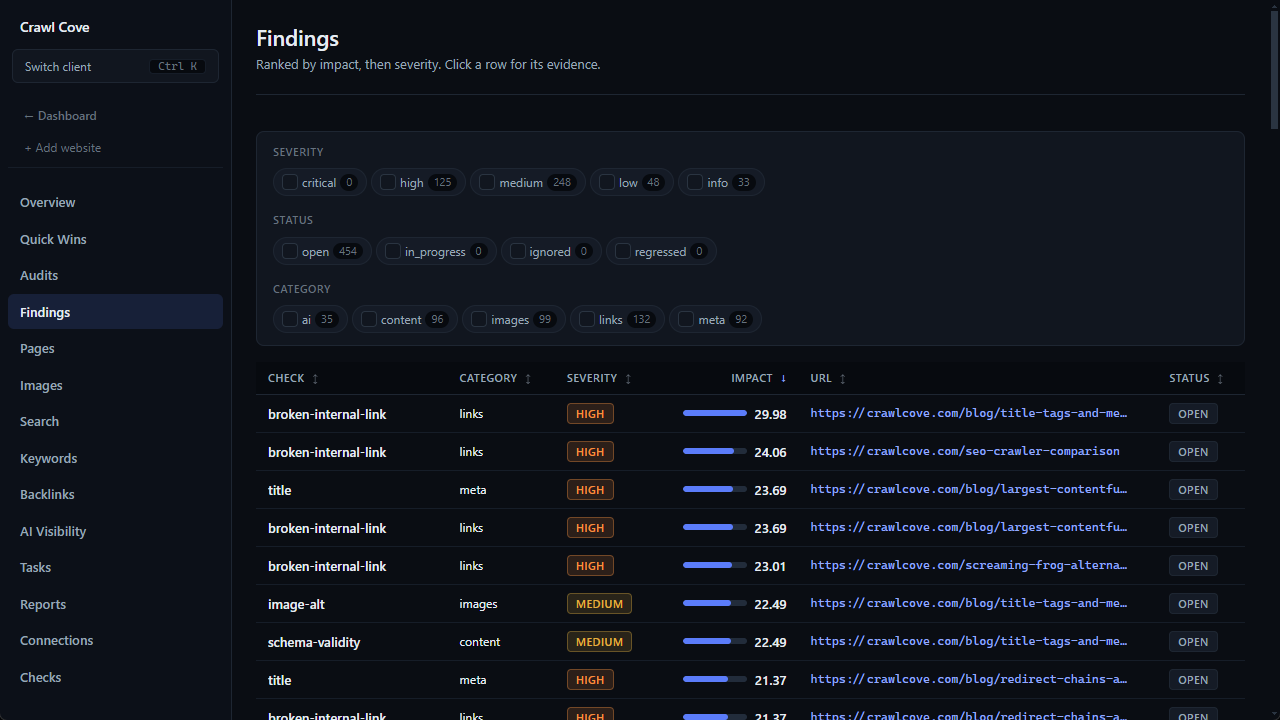
The Mac build runs the same audit as every other platform: 49 deterministic checks across technical SEO, on-page issues and indexability, each finding paired with a plain-English fix rather than a raw error code. See the SEO audit page for what a full audit covers, or the SEO crawler page for how the crawl itself behaves.
The integrations work the same way too. Google Search Console connects in one click with a Google sign-in. Bing Webmaster Tools takes a free API key. Core Web Vitals come two ways: CrUX real-user field data, which needs a free CrUX API key set once, and a local Lighthouse lab run on demand, which needs no key at all. The one Mac-specific note: the Lighthouse lab drives a copy of Google Chrome or Microsoft Edge already installed on the machine, and macOS does not ship with either, so install one once and lab runs work from then on. The crawl and its checks need no browser at all.
Screaming Frog alternative for Mac, compared honestly
Screaming Frog's SEO Spider does run on macOS, and on Ubuntu too, which is a platform Crawl Cove does not cover. If you need a crawler on Linux, the Frog is the answer of the two.
On a Mac, the real difference between them is not availability but what the crawl hands you afterwards. Screaming Frog gives you the raw data: status codes, tables and exports, with the analysis left to you. Crawl Cove turns the same crawl into a ranked to-do list where every issue carries a plain-English fix, brings Search Console, Bing and Core Web Vitals in on every plan, and keeps versioned audits per client so the next crawl proves the fix landed. The free Frog tier also stops at 500 URLs per crawl, and only a paid licence lifts it; Crawl Cove has no URL cap on any plan at any price, and crawls your whole site once Max pages is raised from its shipped default of 500.
The full comparison covers both directions honestly, including the cases where Screaming Frog or another tool is still the better buy.
Sitebulb alternative for Mac
Sitebulb also installs on Mac for local crawling, and it is a genuinely good auditor with a strong hint library explaining what each issue means. Its interface leans heavier than Crawl Cove's, and its plans are organised around audit projects and credits rather than a flat per-seat price.
Crawl Cove keeps Sitebulb's explained-recommendations approach but puts Google Search Console, Bing Webmaster Tools and Core Web Vitals on every plan, with no project or credit limits to work around. The full Sitebulb alternative comparison has the plan-by-plan detail, including where Sitebulb is still the right answer.