
What does image SEO cover?
Image SEO is everything that determines whether an image helps or hurts a page. It splits into two halves that get fixed in very different ways.
The descriptive half covers what an image communicates:
- Alt text. A written description of the image for screen readers and search engines that can't "see" pixels.
- Descriptive filenames.
red-leather-armchair.jpgtells a crawler far more thanIMG_4021.jpg. - Surrounding context. Captions and nearby copy that reinforce what the image is of.
The technical half covers how the image performs:
- File size (weight). How many kilobytes the browser has to download.
- Format. JPEG, PNG, WebP or AVIF, each with different compression trade-offs.
- Dimensions. Whether the file is served at (roughly) the size it's actually displayed at.
- Lazy-loading. Whether off-screen images defer loading until the visitor scrolls near them.
A page can get the descriptive half right and still tank on the technical half, or vice versa. A proper audit checks both, on every image, on every page.
Why image SEO matters
Images are worth fixing for three separate reasons, which is why they show up in accessibility audits, image-search strategy and page-speed reports all at once.
Accessibility. Alt text is how a screen reader describes an image to a visitor who can't see it. Missing alt text on a meaningful image (a product photo, a chart, an infographic) is a genuine barrier, not just a missed SEO opportunity.
Image search. Google Images sends real traffic, and it relies almost entirely on the descriptive half: alt text, filename and surrounding context are what let an image rank for a query at all.
Core Web Vitals. This is the one people underestimate. Images are consistently the single biggest contributor to page weight, and an oversized hero image is one of the most common causes of a poor Largest Contentful Paint score. That's the "how fast does the main content appear" metric, and it's a confirmed Google ranking signal. Get the technical half wrong and you're not just serving a slow page; you're actively working against your own rankings.
The common problems, and the fix for each
Most image SEO issues fall into four repeating patterns.
-
A missing alt attribute. An
<img>tag with noaltat all is the defect worth chasing: a screen reader falls back to announcing the file name, and image search is given nothing to work with. Fix: write a short, specific description of what the image shows. Not a keyword-stuffed sentence, just what a person would say if describing it aloud. Purely decorative images (spacers, background flourishes) should carry a deliberatealt=""so they are skipped rather than announced, and Crawl Cove treats that as correct rather than flagging it. What no crawler can settle is whether a meaningful image has been marked decorative by mistake, because that is a question about the author's intent rather than the markup, so it stays a human check. -
Oversized files. A 4MB photo straight off a camera, served at 400px wide on the page, wastes almost all of that weight. Fix: compress and resize the source file to match its largest rendered dimension before upload. Don't rely on CSS or the browser to shrink it for you.
-
The wrong format. JPEGs and PNGs are still common, but WebP and AVIF typically shrink the same image by 25-50% at equivalent visual quality. Fix: convert photographic images to WebP (or AVIF where supported) and keep PNG only for images that need transparency or hard-edged graphics.
-
Missing width/height causing layout shift. If the browser doesn't know an image's dimensions before it loads, it reserves no space for it. The page jumps as the image pops in, which is exactly what the Cumulative Layout Shift metric penalises. Fix: always set explicit
widthandheightattributes (oraspect-ratioin CSS) so the layout is reserved in advance.
Tip
Check your images against their actual rendered size, not their upload size. An image displayed at 600px wide but saved at 2400px is invisible in a normal page preview but shows up immediately in an audit as wasted kilobytes. It's often the single biggest LCP win available on a page.
How to check image SEO on every page, not just a sample
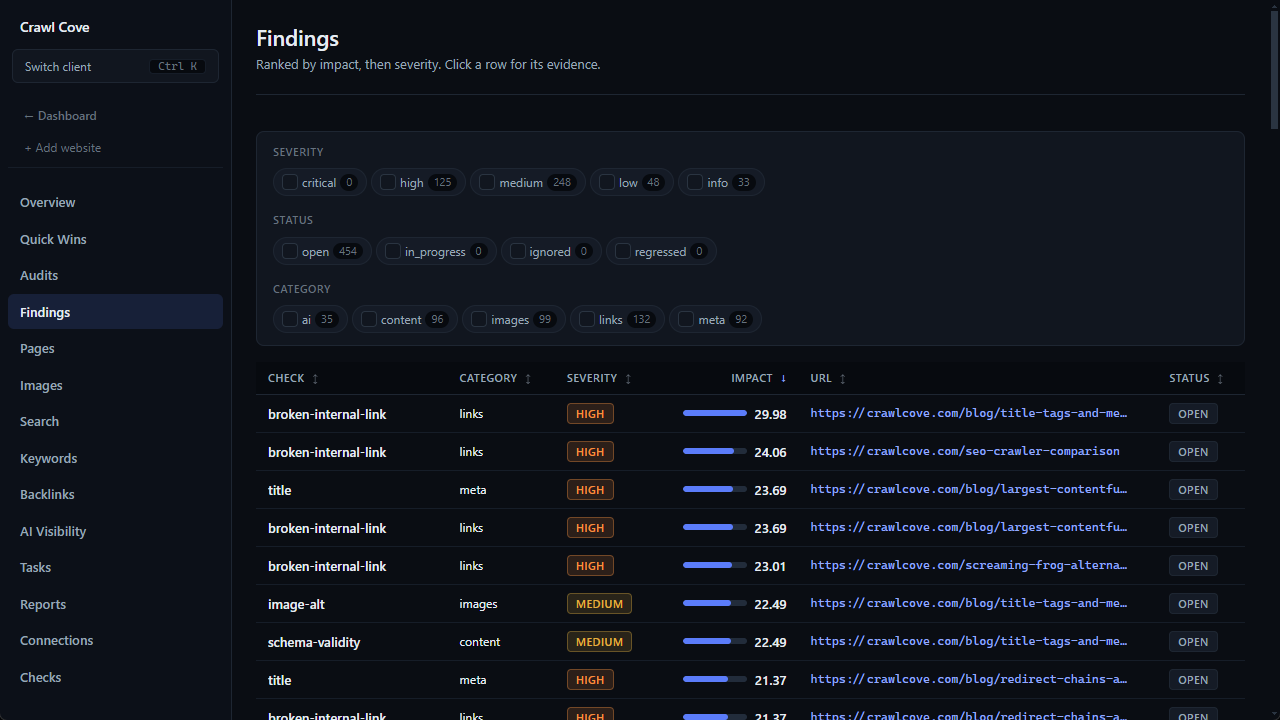
Manually checking images page by page doesn't scale. A mid-sized site can easily have thousands of them scattered across product pages, blog posts and galleries. An image SEO checker built on a crawl solves the inventory problem: Crawl Cove catalogues every <img> it meets, recording its resolved source, its alt text and the width and height declared in the markup, alongside the page it actually sits on, so a flagged image can be tracked back to a specific fix. Missing alt text is raised as a finding on every site; missing dimensions is raised on WordPress, where it is the usual cause of layout shift.
What a crawl cannot tell you. Crawl Cove reads your HTML and never downloads the image files themselves; that is what keeps a whole-site crawl fast and light on your server. It reports what your markup declares rather than what each file weighs. Compression and format conversion, the two fixes above that depend on knowing byte sizes, need a dedicated image tool or your browser's network panel. What Crawl Cove does give you on the performance side is the symptom: real-user Largest Contentful Paint from Google's CrUX field data, per page.
This is what Crawl Cove does as part of a full SEO audit: it records every image during the crawl and ranks the fixes most likely to improve accessibility and Core Web Vitals, each with a plain-English explanation of why it matters, rather than a raw list of file paths to decipher.
How to verify the fixes worked
Once alt text is written, files are compressed and converted, and dimensions are set, re-crawl the site and compare. A versioned audit is what makes this provable rather than assumed. You can see the count of missing alt attributes and missing dimensions actually drop between crawls, not just trust that the changes were applied everywhere they were needed. For the compression half, watch your Largest Contentful Paint in the same audit: it is field data from real visits, so it moves when the fix reaches them. Spot-check real page loads afterwards too, since a Largest Contentful Paint improvement should be visible in the field, not just on paper.